

YUENHOANG
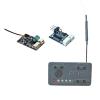
V2.0 FPV Wireless Head Tracker Module RC Transmitter Receiver 2.4G Independent RF Communication for Remote Control Airplane(V2.0 kit)
CA$266.49
CA$444.15
-
 Order within to get between
 -
 Tracked Shipping on All Orders
-
 14-Day Returns
- Secure Payments
-
 24/7 Customer Support
Description
- Used for FPV drone RC airplane
- Transmitter ground control distance: 250m, Transmitter air control distance: 1000m
- Transmitter built-in power: 400mAh
- Transmitter size: 55.8mm x 30.1mm x 16.3mm (25.7g)
- V2.0 receiver size: 29.2 x 18mm (PCB board), V2.0 receiver weight: about 3.0g (including antenna), V2.0 receiver vice-board: 22.8 x 16.9mm, about 1.9g
Features:
- Wireless head tracking
- Data transmission range extension
- 2.4G independent RF communication
- No need to connect remote control
- One-click reset, runaway reset
- Omni-directional gain antenna:
The high efficiency Omni-directional high gain antenna cuts down on interface, while using less power and maintaining a strong reliable connection.
- Unique ID recognition system:
Each transmitter and receiver has it's own unique ID. Once the transmitter and receiver have been paired, they will only communicate with each other, preventing other systems accidentally connecting to or interfering with the systems operation.
Usage:
1.Power on/off Transmitter:
Long press the "on/off button" for 3 seconds to start and shut down.
Note: After turning on, the red light flashes. It is necessary to place the transmitter stationary on the desktop and the red light remains on for normal operation.
Frequency alignment:
- Step 1. Press and hold [PITCH+], then turn on the power and enter the frequency matching mode. A red light flashing quickly indicates that the transmitter is in the frequency matching mode.
- Step 2. Press and hold the button on the receiver, then power on the receiver, wait for the LED light to flash quickly, and the receiver will enter frequency matching mode; If the receiver LED turns on continuously, it indicates successful frequency alignment.
Attention:
Sensor calibration is only necessary when there is drift in the pan tilt. The calibrated data will be automatically saved, and there is no need for calibration when restarting.
4. Reset median:
Click the [M] button, the PTZ YAW axis back to center.
5.Travel setting:
-In normal working mode, press the [+] and [-] buttons of the corresponding channel to adjust the maximum movement range of the corresponding channel.
6. Positive negative setting:
- Press the "YAW+" and "YAW-" at the same time, the buzzer "Di,Di",switch "YAW" channel to positive and negative.
- Press the "PITCH+" and "PITCH-" at the same time, the buzzer "Di,Di",switch "PITCH" channel to positive and negative.
7. Fine adjust:
Long press the "M" button for 5 seconds, and it emits beep sound, red light double flashing, and then press "+" or "-" of YAW and PITCH botton to do fine adjusting of the servo.
Long press the "M" button for 5 seconds to quit the setting mode.
Package include:
1set x head tracker module
Shipping and Returns
- We offer tracked shipping on all orders. Tracking information will be shared as soon as the order is dispatched.
- Please check the delivery estimate before adding a product to the cart. This is displayed for every product on the website.
- Available shipping methods and charges will be displayed at the time of checkout, depending on your exact location.
- All customers are entitled to a return window of 14 days, starting from the date of delivery of the product(s).
- Customers are advised to read our return policy for details of the return process, eligibility, refunds as well as cancellations or exchanges.
- In case of any issues or concerns about Shipping or Returns, please contact us and we will be happy to help.
yuenhoang.
V2.0 FPV Wireless Head Tracker Module RC Transmitter Rece...
CA$266.49
CA$444.15